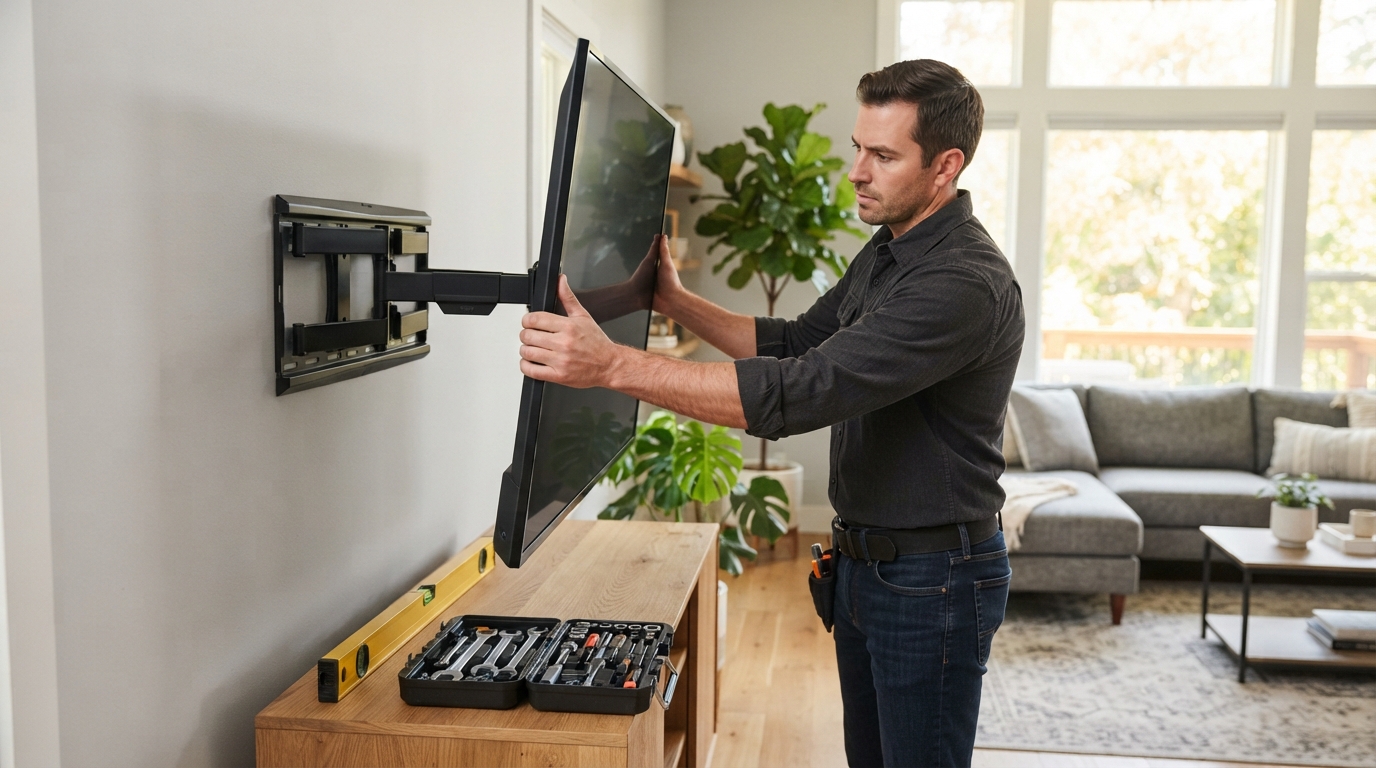
Key point:
- Most TV mounting failures trace back to weak anchoring, poor cable planning, or skipping a weight-rated bracket.
- Studs, not drywall alone, should carry the load for any wall-mounted television.
- Viewing height, glare, and ventilation around electronics also affect long-term performance.
A mounted television that slips, tilts unevenly, or pulls away from the wall almost always points to one of a handful of avoidable setup errors. Correcting anchor placement, bracket selection, and cable routing before drilling prevents the most common failures homeowners encounter after a do-it-yourself install.
Anchoring into framing rather than drywall is the single factor that determines whether a mount holds over time. TV mounting in Wellington, FL that relies on plastic drywall anchors alone is a frequent cause of later sagging or detachment, since standard anchors are not rated for sustained television loads. Locating and anchoring into solid wall studs, or using hardware specifically rated for the wall type, addresses this risk directly.
Mistake 1: Skipping the Stud Search
Many installs fail because screws land in the center of drywall instead of structural framing.
- Use an electronic stud finder and confirm spacing, since residential studs typically sit 16 inches apart, though older homes vary.
- Mark both stud locations before drilling pilot holes, especially for full-motion mounts that place more leverage on the wall.
- Avoid relying on a single stud for televisions over roughly 50 pounds; distributing the load across two studs is considered the safer standard for larger screens.
Mistake 2: Choosing the Wrong Bracket or Hardware
A mount rated below the television’s actual weight, or hardware mismatched to the wall type, creates a slow-motion failure that often isn’t noticed until the screen shifts.
- Match the bracket’s VESA pattern and weight rating to the television’s specifications before purchase.
- Use lag bolts long enough to penetrate the stud securely, not just graze its edge.
- For masonry or metal-stud walls, select anchors engineered for that surface rather than substituting standard wood screws.
Mistake 3: Ignoring Tip-Over and Child Safety Guidance
Wall mounting is also a recognized safety measure, not just an aesthetic choice. The U.S. Consumer Product Safety Commission notes that mounting flat-screen TVs to the wall or to furniture helps prevent them from toppling over, and its long-running Anchor It campaign outlines simple steps for securing televisions and furniture in homes with children. Skipping a secure wall mount in favor of a freestanding stand increases the chance of a tip-over, particularly in households with young children or pets.
Mistake 4: Overlooking Viewing Height, Glare, and Cable Management
Even a structurally sound mount can disappoint if the television sits too high, faces a window, or has cables bundled haphazardly behind it.
| Mistake | Common Result | Simple Fix |
| Mounting too high above eye level | Neck strain during extended viewing | Center screen at seated eye height |
| Facing a window or bright light source | Glare that washes out the picture | Position perpendicular to the main light source |
| Leaving cables loose or exposed | Tangled wires, tripping hazards, visible clutter | Route cables through a wall channel or raceway rated for in-wall use |
In Wellington, FL, many living rooms and lanais include large windows or sliding glass doors, which makes glare control a more frequent consideration than in rooms with fewer natural light sources. Planning the mount location around existing windows, rather than adjusting lighting afterward, tends to produce a more comfortable long-term viewing setup.
Business Info
Audio Video Control published service area extends to customers across Wellington, FL. Verified listings associate the business with television mounting among its electronics installation offerings, supporting the practical focus of this guide.
Frequently Asked Questions
Can a TV be mounted on drywall alone without hitting a stud? Specialty toggle anchors rated for the television’s weight can sometimes substitute when a stud is unreachable, but most safety guidance still favors stud-anchored hardware for long-term reliability.
How do I know if my wall can support a larger television? Checking the television’s listed weight against the bracket’s rated capacity, then confirming stud locations with a stud finder, is the standard way to verify a wall can safely support the mount.
Is professional installation necessary for every TV mount? Simple fixed mounts on standard drywall with accessible studs are sometimes manageable as a do-it-yourself project, though uneven walls, masonry, in-wall wiring, or large screens often benefit from professional assessment.
Does mounting height affect anything besides comfort? Yes; mounting too high can strain the neck during long viewing sessions, while mounting near a heat source or enclosed cabinet can affect ventilation for the television’s internal components.
A Final Note on Planning Before Drilling
Avoiding the mistakes above generally comes down to confirming wall structure, matching hardware to the television’s actual weight, and accounting for glare and cable routing before any drilling begins. Current availability details for Audio Video Control are published for the local service area.